Who is this for?
This guide is built for business owners, marketers, website owners, and entrepreneurs who want to feel confident in conversations about their website. If you’ve ever felt lost when your developer mentions “responsive design,” “UX,” or “CMS,” this article is for you.
What we’re hoping to offer:
We break down the most important web design terms you need to know, covering everything from design and user experience (UI/UX) to technical structure and performance. You’ll learn how these concepts connect to your brand strategy, website functionality, and business goals, helping you make smarter, profit-driven decisions about your digital presence.
Key Takeaways:
- Understand foundational web design terminology, the building blocks of every website.
- Learn how design concepts such as responsive design, accessibility, and visual hierarchy directly impact user experience and conversions.
- Discover what a Content Management System (CMS) does and how it empowers you to manage your site without code.
- Gain the vocabulary and confidence to communicate effectively with your web design or development team, including web designers.
- Recognize the importance of understanding website terminology for effective communication with web professionals.
Let’s be honest: web design can get really technical. And when you’re trying to have a conversation with a developer or web designer about your website, web design terms can get even more technical.
We’ve all been there, and we feel your pain. Even the most advanced web developers once had to learn what web design terms mean and how to properly use them.
Luckily, understanding web design terms doesn’t require learning coding. But you will want to be informed so you can make smart, profit-driven decisions for your most valuable digital asset: your company’s website.
To help you out, we’ve created a guide to give website owners and business owners like you confidence and clarity when discussing your website. This will help you more effectively collaborate with web designers, developers, and other stakeholders, and will ultimately ensure a better ROI for your business. Let’s get started!
The Core Foundation: Essential Technical Web Design Terms
To begin, we’ll start with a few non-negotiable infrastructure terms you’ll need to understand.
Foundational Website Key Terms:
- Domain Name: This is your website’s address (e.g., bigredjelly.com). Choose this name carefully, because it becomes your brand’s online identity. Read more about how we help businesses choose their brand and domain names here.
- Hosting: Your website host is the digital “land” where your website “lives.” Good hosting is crucial for website speed and reliability. Most hosting platforms offer site speed, accessibility, and security included with the subscription. At Big Red Jelly, we use Pressable for WordPress hosting. The web server stores and delivers web pages to users when requested by their browsers.
- URL (Uniform Resource Locator): The URL is the specific web address for a particular page on your website. An example would be www.bigredjelly.com/services/build, where our main page for website build services are housed. URLs help users navigate to all the pages and relevant pages of a website. For good SEO value, make sure every page you create has a parent page. Don’t let all your individual pages live off the home page!
- CMS (Content Management System): Your CMS is the platform you build your website on. It’s the backend tool for managing your website content without code. A CMS helps manage all the pages and relevant pages of a website. At Big Red Jelly, we typically build on WordPress, Shopify, or Wix. Trying to figure out which CMS is best for your business? We have a guide for that. The website’s backend is responsible for data management, server operations, and application logic that supports the website’s functionality and content management.
- SSL/HTTPS: This is the security protocol that encrypts your website data. That’s why it’s listed at the beginning of every URL. These parameters are mandatory for domain trust, SEO, and eCommerce transactions.

The User Experience (UX) Blueprint: Design & Functional Web Design Terms
Now that you understand the basics of what and where your website lives, let’s talk about user experience. This is the language of how your site looks and feels to the customer, and how it guides activity through your pages. Good UX and UI are central to getting conversions on your site.
UX/UI Key Terms:
- User Experience (UX): User Experience is the feeling or overall journey a visitor experiences on your site. If your website is hard to use, you have poor UX. If your site is really intuitive, and customers can easily find their way around, you have good UX. The way users interact with your site and how design choices enable users to have a smooth experience are key factors in strong UX.
- User Interface (UI): Often confused with UX, but the User Interface is the actual visual elements (buttons, typography, layout, etc.) the user interacts with on your website. See If UX is the overall map of your site, UI is the physical signage telling people where to go. The user interface is both a graphical user interface and a visual interface that enables users to interact with the website through graphical elements.
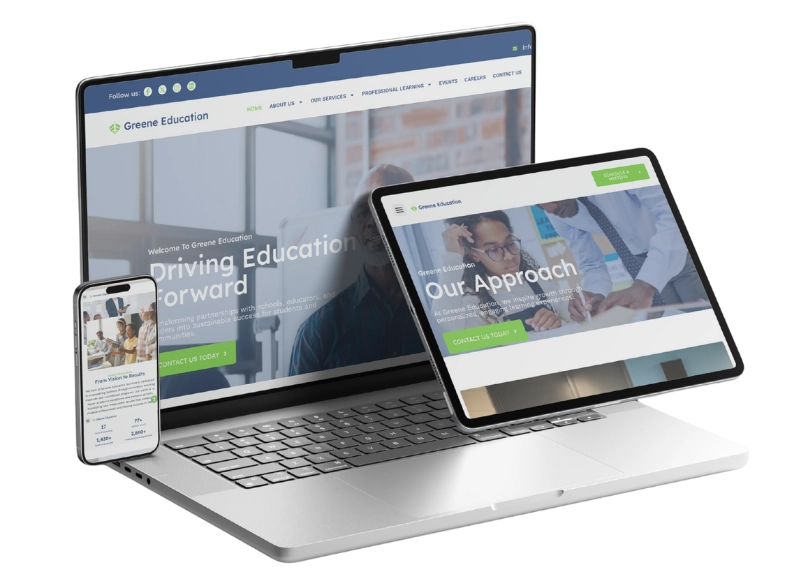
- Responsive Design: If a website is responsive, the site automatically adjusts its layout to any screen size: desktop, tablet, mobile, etc. Most sites today should be built mobile-first, because the majority of users will find your site on their mobile device. Responsive web design is essential for modern web development, as it ensures your website layout adapts to various device sizes and provides a consistent user experience. Learn more about how Big Red Jelly designs mobile-first websites here.
- Wireframe: The wireframe of a page is the basic skeleton or blueprint of its layout. This helps you focus on page structure first, instead of getting caught up in the style and “aesthetic” design elements. Website layout is structured using horizontal and vertical lines to create visual alignment and consistency. Always finalize your content hierarchy using a wireframe before adding in design elements.
- Above the Fold: Content that’s “above the fold” is content you see on a webpage without having to scroll. This term comes from the print industry, referring to the stories that were on the front page of a newspaper. These stories were printed “above the fold.” Your website functions the same way. The most important content and your biggest CTAs should live above the fold on your site. Web accessibility is crucial here, including the use of alternative text for images to ensure visually impaired users can access important information.
- Navigation: Your site’s navigation is the system used to move around the site. This includes site menus and links (note: your site menu is called the “navigation bar”). Keep your nav bar simple, intuitive, and consistent across all pages and devices so customers know exactly how to get around. Dropdown menus and hamburger menus are commonly used to organize and streamline website navigation, especially on mobile devices. Anchor links can help users navigate within the same page for improved usability. Navigation design can also be personalized based on user preferences, making it easier for returning visitors to find what they need.
Driving Results: Marketing, Search Engine Optimization, and Performance Web Design Terms
Next are the terms you’ll want to use in your next meeting: marketing and performance web design terms. Your website exists to drive sales (and if it doesn’t, let’s chat), so these are the terms you’ll want to understand to better measure your website’s function and success. Digital marketing is a key part of any online strategy, and understanding these web design terms is essential for building a strong digital presence.
Marketing & Performance Key Terms:
- Call to Action (CTA): This is the prompt that drives the desired action on your page (e.g., “Download Now,” “Book Today,” “Call Now,” etc.). Every page on your website should have a primary CTA, supplemented by secondary CTAs. CTAs should be visually distinct and use simple, high-impact language. Use color contrast & visuals to clearly emphasize your CTAs. Tracking user clicks and where users click on CTAs helps measure their effectiveness and optimize for better results.
- Conversion: A user “converts” on your site when they complete the desired action. For example, if you run an auto repair shop, and the goal of your website is to get phone calls into the shop, every phone call that comes in would be a conversion. This is the single most important metric for a business to measure the success of its website. Analyzing the user journey and monitoring user engagement can help identify opportunities to optimize conversions.
- Landing Page: A landing page is a standalone web page dedicated to a single goal. Landing pages are often attached to ads because they are very focused on the one specific service/action. Landing pages typically reduce the ability for the engaged user to navigate to other pages on your site, which reduces distractions and helps boost conversions for that page.
- Search Engine Optimization (SEO): SEO is the strategies and techniques used to help your site rank higher on search engines, and therefore increase website traffic. Good SEO practices should be built into your site’s structure from day one, not messily integrated later on. Optimizing for search engine results, search engine results pages (SERPs), and search results is crucial for visibility. Incorporate relevant keywords and well-crafted meta descriptions to improve your ranking and click-through rates in search engine results. Learn more about good SEO here.
- Bounce Rate: Bounce rate is the percentage of individuals who leave your site after visiting only one page. If you have a high bounce rate, it means your users aren’t finding what they want to find on your site, and they’re unmotivated to continue clicking around your site. When this happens, focus on making your pages more relevant to your visitors. User interaction and user engagement metrics can be tracked using tools like Google Analytics to better understand visitor behavior and improve your site.
- Alternative (Alt) Text: Alt text is the usually unseen, descriptive text attached to each of the images on your site. Alt text is critical for accessibility (screen readers) and also helps website crawlers know if you have relevant images on your site. Good alt text improves image SEO. Image optimization, including proper sizing and format, also enhances website performance and user experience.
Strategic Best Practices: What to Demand from Your Team
Now that you can understand what your developer is talking about, it’s time to move beyond definitions to high-impact strategic requirements for your website. You can use these points and phrases to frame informed conversations with your website designer/developer. Here’s what to ask for to improve your site:
Website Action Phrases for Business Owners:
- Prioritize Speed & Performance: When you ask to prioritize website speed and performance, you demand a commitment to fast loading times (ideally under 3 seconds). This helps reduce your bounce rates and makes your site easier for users to navigate. Ask your developer about image compression, caching, and CDNs. Also, ensure your site handles HTTP status codes properly and maintains reliability even with varying internet connection quality.
- Mandate Accessibility (WCAG): Accessibility is crucial. Emphasize with your developer that your site must be usable by people of all abilities. Also consider what other languages your site may need to be translated into. This reduces legal risk and helps you expand your audience. We use accessiBe on our sites to ensure compliant accessibility. Make sure social media links are accessible and included in the website’s footer for better user engagement.
- Focus on Visual Hierarchy: This helps your designer step away from the aesthetics and ensure your site design is guiding users to the right place. Proper visual hierarchy intentionally guides the user’s eye to the most important information and CTAs. Less clutter, more focus. The website’s title is a key element for branding and search visibility, and should be prominent alongside visual identifiers.
- Establish Brand Consistency (Using a Style Guide): Asking your designer to make your site more cohesive with your brand is better than just telling them to tweak individual colors & fonts. If you have a proper style guide for your brand, you can insist your web designer uses standardized visual language for your site (colors, fonts, button styles, spacing, imagery). This builds trust with your audience and increases brand recognition across platforms. Don’t have a style guide for your brand? We can help you put one together using your existing assets, or we can create some new ones!
- Implement A/B Testing: Even after your developer delivers a “completed” website, your site isn’t ever really finished because your business is always evolving. Plan for continuous testing of website copy, CTAs, landing page layout, etc. to make sure your site is maximizing conversions for your business. Use dynamic content and leverage JavaScript to create dynamic user experiences that can be tested and optimized. If you’re too busy to keep up on your website, take a look at our website Maintenance services. You’ll have our team of experts on a regular retainer for any required website updates.
Speaking the Language of Success
Well, there you have it. Now you’re equipped to understand and speak the language of web design. Having a basic understanding of these web design terms will empower you as a business leader to maximize the user of your website to carry out business goals.
Use this newfound vocabulary to do a quick audit of your website and content, or use it to approach your next web development meeting with confidence.
Your website truly is your best salesperson. Now you have the language necessary to manage it effectively and ensure it performs.
Noticing your site isn’t up to standard or needs some updates? Our team offers free website consultations to see what can be improved. Schedule a quick consultation today.
Frequently Asked Questions About Web Design Terms
What are web design terms, and why are they important?
Web design terms refer to the language and concepts used to plan, create, and manage websites. This includes everything from UI (User Interface) and UX (User Experience) to responsive design and SEO (Search Engine Optimization). Understanding these terms helps business owners communicate clearly with their web design team, make informed design decisions, and ensure their website aligns with brand goals and user needs.
What’s the difference between a website and a web page?
A website is a collection of interconnected web pages housed under a single web address (URL). Each web page serves a different purpose (like a homepage, services page, or blog post) but together, they create a cohesive online experience that represents your brand and guides visitors toward conversion.
What is a landing page in web design?
A landing page is a single, focused web page designed to encourage a specific action, like filling out a form, signing up for a webinar, or making a purchase. Unlike your homepage, a landing page removes distractions and focuses entirely on one message or offer. At Big Red Jelly, we often design landing pages as part of larger marketing funnels to improve lead generation and conversion rates.
What is a content management system (CMS)?
A content management system (CMS) is a platform that allows you to easily create, edit, and organize your website’s content without needing to code. Popular CMS platforms include WordPress, Shopify, and Wix. Our team at Big Red Jelly helps clients choose and design within the right CMS to ensure scalability, functionality, and ease of use so you can manage your content confidently long after launch.
How does web design affect search engine optimization (SEO)?
Web design and SEO go hand in hand. A well-designed site improves user experience, site speed, and mobile responsiveness… all critical SEO ranking factors. Design choices like clean navigation, optimized images, and strategic content placement help search engines better understand and rank your pages. Big Red Jelly builds every site with SEO best practices integrated from the ground up, ensuring your design looks great and performs powerfully.
What is a user interface (UI), and how does it impact my website?
The user interface is the visual and interactive part of your website: buttons, menus, forms, and overall layout. An effective UI guides users smoothly through your site, helping them find what they need quickly and intuitively. At Big Red Jelly, our designers focus on creating interfaces that reflect your brand identity while driving real engagement and conversions.
Why should I partner with a professional web design company like Big Red Jelly?
Building a strong online presence takes more than knowing web design terms. A good website requires strategy, design expertise, and technical precision. Big Red Jelly combines brand strategy, web design, and digital marketing to create websites that don’t just look great, but actually grow your business. Our process helps you clarify your message, build a high-performing site, and launch with confidence.
How can I learn more about web design for my business?
Start by exploring our free resources and case studies that break down digital marketing and web design best practices. You can also schedule a strategy session with our team to discuss your website goals and discover which design and content strategies will deliver the most impact.