Who it’s for:
This guide is for business owners, marketers, and entrepreneurs who want a professional, easy-to-manage website that supports long-term growth without needing to be web developers.
What it offers:
You’ll learn how CMS website design works and why choosing the right content management system is crucial for your business success. We’ll compare three leading platforms (Shopify, Wix, and WordPress) and explain which CMS best fits your goals, technical skill level, and budget.
Key takeaways:
- Understand how a CMS simplifies website creation, content management, and design customization.
- Learn the pros, cons, and ideal use cases for Shopify (eCommerce focus), Wix (ease of use), and WordPress (flexibility and scalability).
- Discover essential CMS website design best practices, including mobile-first layouts, SEO optimization, and user experience design.
- By the end, you’ll know exactly which CMS to choose and how to build a website that grows with your business.
Without a good website, your business success is extremely hindered. But what most business owners don’t realize is that without a good CMS, the capabilities of your website are limited. Choosing the right CMS is crucial for continued business growth. A CMS (Content Management System) is a software that allows you to manage content and design your website from scratch without coding, which makes having a business website accessible to people of all skill levels. CMS stands for Content Management System, and it plays a key role in web design, content creation, and management without requiring advanced technical skills. Content management systems are essential tools that enable users to efficiently create, edit, and organize digital content, making them a vital part of modern website management. Additionally, CMS platforms are central to web content management, helping businesses and institutions maintain and optimize their website content with ease.
There are countless CMS platforms out there, and it can feel impossible to choose the right one for your business. Lucky for you, here at Big Red Jelly, we’ve worked with many CMS platforms, and we are confident that one of these three industry giants will provide the foundation you need for growth: Shopify, Wix, or WordPress. CMS platforms streamline the web development process, making it easier for users to build and maintain websites without needing advanced web development skills.
Which of these platforms should you choose for your CMS website design? In this blog, we’ll break down the fundamental differences between each CMS, advise on the best fit for your specific business type, and detail some design best practices to follow for a high-performing site on each platform. When considering hosting and website delivery, it’s important to note that a web server is responsible for storing and serving your website content to visitors.
CMS Website Design Deep Dive: Shopify vs. Wix vs. WordPress
Shopify, Wix, and WordPress each offer different benefits and features to aid in your CMS website design. These platforms provide a wide range of cms capabilities, allowing users to manage content, integrate digital marketing tools, and personalize website experiences. Each has its own identity: Shopify, the e-commerce specialist; Wix, the user-friendly designer; and WordPress, the open-source giant with endless capabilities. Their robust features make them suitable for businesses seeking advanced customization, scalability, and flexibility. Below, we’ll explore the key features of each platform to help you understand what each CMS can offer your business:
Shopify: The E-commerce Specialist
Shopify’s CMS website design was built for one purpose: selling products and scaling ecommerce businesses. And it is very good at its job. Shopify is great for small ecommerce businesses, but also supports brand giants like Gymshark, Kylie Cosmetics, and Red Bull. Whatever your business size, if you have a product you’re selling, you should consider using Shopify for your CMS website design.
Some of Shopify’s key strengths:
- eCommerce-First Website Design: Shopify has unmatched built-in eCommerce features (payments, inventory management, shipping, multi-channel integration) and a wide range of built in features that enhance online selling, such as SEO tools and integrations.
- Bundled Hosting Solutions: Shopify provides hosting and includes custom domain management, making it easy to establish a professional online presence and manage your brand.
- CMS Website Design Scalability: Shopify’s accessible CMS platform is designed to handle rapid growth and high transaction volume without decreasing performance. The platform also makes it super simple to make updates to the site as you add products and offerings.
- Fully Hosted Website: With Shopify, you have zero need to worry about hosting, security patches, or maintenance, because it’s all included in the Shopify subscription, along with robust security features to protect your website and customer data.

Wix: The User-Friendly Designer
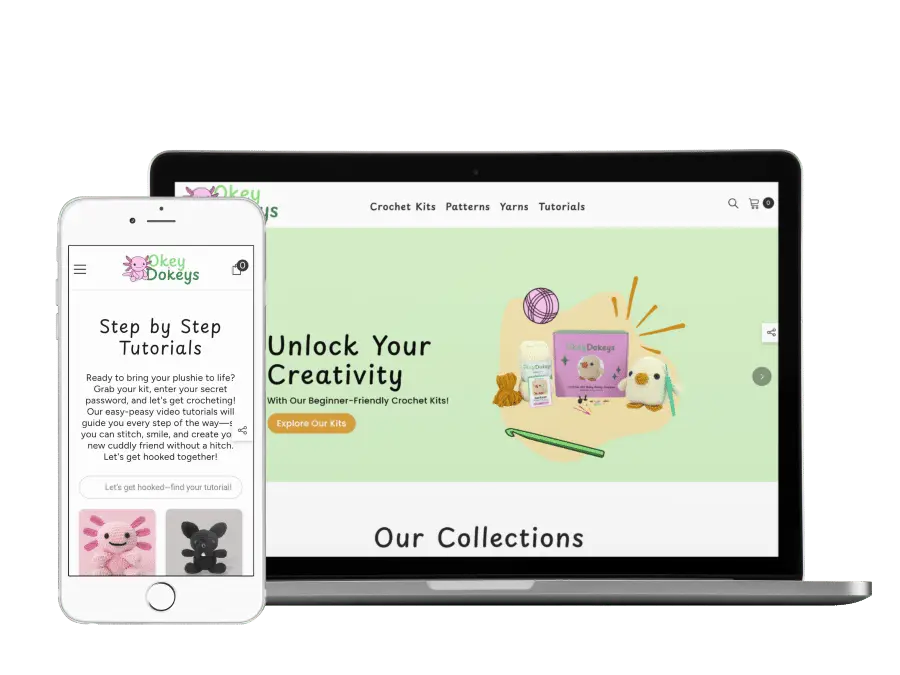
Wix’s greatest strength is how easy it is to use. This platform was designed with the beginner user in mind and features a user friendly design that enables anyone to create and manage a website efficiently. Its visual drag-and-drop design and templates make it super easy to build a new website from scratch.


Here are some of Wix’s key strengths:
- Easy to Use: Wix provides users with the most intuitive drag-and-drop editor, featuring a user friendly interface and easy to use interface. The editor’s intuitive interface and drag and drop functionality create a shallow learning curve for non-technical users.
- Speedy Website Deployment: Wix makes initial setup really quick using professional, all-in-one templates. These templates can be customized, which takes more time, but typically the turnaround time for a new site is relatively fast.
- Bundled Hosting Solutions: Hosting, security, and a domain are all included and bundled into affordable, simple subscription plans. No need to pay extra for hosting.
WordPress: The Open-Source Industry Leader
Compared to Shopify and Wix, WordPress is a god among men. Building your site with WordPress provides you with endless customization possibilities and ultimate flexibility. As an open source CMS, WordPress is freely available, highly customizable, and supported by a large community. The majority of websites active on the internet are built using WordPress. At Big Red Jelly, we are firm believers in the WordPress platform, and we recommend it to most businesses, depending on your business needs. WordPress’s eCommerce platform, WooCommerce, also allows for eCommerce capabilities on your WordPress site. The possibilities truly are endless with a WordPress site.
Just a few of WordPress’s (many) strengths:
- Unlimited Customization: WordPress’s open-source foundation allows for truly unmatched custom functionality and design using various combinations of plugins and themes. Enjoy extensive customization with the ability to use a page builder or page builders for drag-and-drop editing, create custom pages, add feature grids as reusable components, and create forms for user interaction. Build your site however you like.
- Content Management Superiority: WordPress boasts best-in-class tools for blogging, large content structures, and SEO optimization. Its content editor makes it easy to create and edit content, ensuring your website stays accurate and up to date. If you have a lot of content you want to put on your website, WordPress is the way to go.
- Total Ownership: Users who build sites on WordPress own all their data and have complete control over hosting and core code.
Here’s the caveat:
- WordPress requires self-management of hosting, security, and regular software updates.

This isn’t really that big of a deal, and at Big Red Jelly, we use Pressable as our preferred hosting partner. It honestly is nice to have control over your hosting provider, and if you invest in premium hosting services, your site will run way faster. But it does come at an extra cost.
Choosing Your Best Fit: Aligning Your CMS with Your Business Model
So which CMS platform is best for your business? There isn’t really a one-size-fits-all answer, but generally, the “best” CMS for your business is the one that minimizes friction for your team while also maximizing your capacity for growth. If you want your brand to stand out, building a unique website is essential. A strong digital presence is crucial, and many businesses use CMS platforms specifically for marketing websites to enhance their online visibility. Some CMS platforms offer the flexibility to create custom websites tailored to your specific needs, while others excel at delivering tailored content to personalize the user experience. Not sure? Let’s look at some examples to help you decide.
Example 1: The Fast-Growing Online Retailer
Say you run an online shop, and you’ve randomly (or intentionally!) started getting way more orders than your current setup allows. My recommendation in this case would be to set up an improved online store using Shopify. Why? If selling is 90% of your business, you need the eCommerce integrations and specialized tools that are baked into the Shopify platform. You can also extend Shopify’s functionality by using third party apps, and integrating third party apps like marketing tools or plugins is straightforward, making it easy to add new features as your business grows. Plus, the platform is relatively easy to use for a new eCommerce store.
Example 2: The Local Artist or Small Business Owner
If you mostly need a website just to showcase your work or to have a super simple booking platform for your business, you don’t need a ton of bells and whistles. In this case, Wix might be the way to go as a website builder and a popular CMS platform. If you’re just starting out or want to manage a portfolio, Wix allows you to quickly manage and edit your pages without almost any web developer knowledge. You will likely grow out of your site, and you’ll eventually need to migrate, but it’s a good (and cost-effective) place to start out.
Example 3: The More Developed Business
If you have any sort of marketing strategy that hinges on content that leads users down a sales funnel, you’ll need a lot of content on your website. High-funnel blog posts for SEO, low-funnel service pages, maybe even some eCommerce-type purchase pages or landing pages for ads. If your business has needs like this, or if you just straight up want a lot of customization, you’ll want to get your site built on WordPress. A well-built WordPress site grows with your business, and you can manage a lot of content pretty easily once you learn the basics. WordPress supports multiple users, making it ideal for teams, and offers robust user permissions to control access and collaboration. Its powerful tools for managing content allow you to organize, edit, and control your digital assets efficiently. Our team at Big Red Jelly is well educated on WordPress, and we’re happy to help walk you through it. You’ll be a master in no time.
Universal CMS Website Design Best Practices
Whichever CMS website design platform you decide to use, remember: the platform is just a tool. Your success depends on how you use it. A key goal of any CMS website is to efficiently organize, manage, and deliver content to your audience across multiple channels. Here are some basic yet non-negotiable pillars you can use to develop a professional-grade website:
- Visual Consistency: Maintain a unified look and feel throughout your site to reinforce your brand identity and ensure consistent branding across all pages and digital platforms.
- Design and User Experience (UX): Prioritize clean layouts, intuitive navigation, and responsive design to provide an optimal user experience. Good design should also ensure a seamless user experience, making it easy for visitors to interact with your site and find what they need.
Design and User Experience (UX)
- Mobile-First Design: All themes must be flawlessly responsive based on the device your users are using to access your site. Web designers prioritize designing for the smallest screen first, as mobile traffic is the majority.
- Intuitive Navigation: Simplify your main menu (stick to 5-7 links). The user should find any major content piece in three clicks or less.
- Strategic White Space: Use empty space to break up text, guide the eye, and highlight key elements like strategic Calls-to-Action (CTAs). This is where your site converts visitors into sales, so using white space to emphasize these CTAs is crucial.
- Visual Consistency: Maintain a strict, small set of colors and typography (limit to 2-3 fonts) to create a cohesive and professional feel. If your brand isn’t cohesive, we can help you flesh that out (we know a thing or two about good branding).
Performance and SEO
- Speed Optimization: Prioritize fast load times. Compress and properly format all images (webp is preferred) before uploading and use platform-specific caching (or plugins like WP Rocket).
- Clear Content Hierarchy: Use your CMS’s editor to structure content with proper H1, H2, and H3 headings to improve readability and search/generative engine understanding.
- Effective Meta Data: Utilize your CMS’s SEO settings to craft unique, compelling, and keyword-rich meta titles and descriptions for every single page to boost click-through rates from organic search results and improve visibility in search engines.
Making Your Final, Strategic CMS Choice
The time has come. You’ve reached the end of this blog post. Which means (no pressure) it might be time to make a decision as to where you’re going to build your new site. As a summary of the CMS platforms:
- Shopify: best for easy and efficient eCommerce setup
- Wix: easiest to use, great for your first website
- WordPress: the best option if you want your site to be a fully functional & custom sales tool for your business
Modern CMS platforms offer innovative solutions that simplify content management and help you deliver exceptional digital experiences. Many of these platforms also provide a free plan, making it easy to get started without upfront costs. To ensure optimal performance, consider ongoing support and integration services that keep your website running smoothly and efficiently.
Your choice of CMS is a strategic investment in your future. Sit down, define your business needs, assess your team’s technical prowess, and choose the CMS website design platform that gives you the highest return on time and resources.
If you’re still unsure, luckily you’re in the right place. Our team offers free consultations to help get you started and point you in the right direction. And if you decide you don’t actually want to build a website (it’s a lot of work), we can help with that too. We promise – we’ll build the website of your dreams.
Learn more about website builds below or contact our team today!
Frequently Asked Questions About CMS Website Design
What is CMS website design?
CMS website design involves creating and managing a website using a content management system; a platform that allows you to edit pages, publish blogs, and update visuals without advanced coding skills. Popular CMS platforms like WordPress, Shopify, and Wix make it easy to manage your web content efficiently while keeping your site visually appealing and functional.
Why should my business use a CMS instead of custom-coded web design?
A robust content management system gives your business flexibility and control without the high cost or complexity of traditional coding. You can easily update your site, publish new pages, and integrate tools for SEO, eCommerce, or marketing automation, all from one centralized dashboard. This means faster updates, lower maintenance costs, and more time to focus on growth.
What are the best CMS platforms for small to mid-sized businesses?
The right CMS depends on your goals, technical comfort, and growth stage.
- WordPress: Best for scalability, SEO, and advanced customization.
- Shopify: Ideal for product-based businesses and eCommerce functionality.
- Wix: Great for beginners who want a simple drag-and-drop website experience.
At Big Red Jelly, we work across all three to help you find the CMS that fits your business best.
How does CMS website design support SEO and online visibility?
Modern CMS platforms include built-in SEO tools that help you structure content effectively from custom URLs and meta tags to image optimization and schema markup. Combined with a content-first design approach, your CMS allows you to easily manage blog posts, landing pages, and product listings that attract and convert organic traffic.
What’s the difference between monolithic and headless CMS platforms?
- Monolithic CMS: Combines the front end (what users see) and back end (where content is managed) into one system, like traditional WordPress or Wix setups.
- Headless CMS: Separates the two, sending your content to any platform or device via API. This gives developers more flexibility for omnichannel experiences.
Most small to mid-sized businesses thrive with a monolithic CMS.
How can a CMS handle eCommerce functionality?
A CMS with eCommerce integration (like Shopify or WooCommerce for WordPress) lets you manage products, inventory, payments, and shipping directly from your dashboard. You can also connect your store to CRMs, marketing tools, and analytics platforms to streamline sales and customer experiences.
Can Big Red Jelly help me choose and build my CMS website?
Absolutely. Our team specializes in brand, web, and digital growth strategies, which means we don’t just build you a website, we build a tool that helps your business scale. Whether you need a custom WordPress site, an optimized Shopify store, or a Wix design that reflects your brand personality, we’ll help you choose the right CMS platform and set it up for success.
What should I look for in a CMS before committing?
Before selecting your content management system, consider:
- Ease of use: How comfortable will your team be making updates?
- Scalability: Can it grow as your business expands?
- Integrations: Does it connect with your CRM, marketing, and sales tools?
- Design flexibility: Can you fully customize the design or templates?
- Ongoing support: Does the platform (or your web partner) provide technical help?
Big Red Jelly helps you evaluate all these factors and make an informed choice that supports your long-term goals.
How do I get started with CMS website design?
Start by defining your website goals: branding, sales, education, or lead generation. Then, choose a CMS platform that aligns with those goals and your internal capacity. From there, our Big Red Jelly team can guide you through branding, design, development, and launch, ensuring your website is not just beautiful but built to grow.
How often should I update my CMS website?
To keep your site secure and high-performing, you should regularly:
- Update your CMS core, plugins, and themes
- Refresh website content and visuals
- Review SEO and analytics data
- Test site speed and mobile responsiveness
Our team offers ongoing website maintenance and optimization plans to ensure your CMS stays modern, secure, and growth-ready.