Who this article is for:
Business owners, marketers, project managers, and anyone working with web developers who wants a clear, jargon-free guide to common web development terms and website development concepts.
What’s inside:
- Easy definitions of essential web development terms
- How these terms impact SEO, performance, and user experience
- A web development glossary for quick reference to common web development terminology and web projects.
Key takeaways:
- Understand the core technologies behind every web page (HTML, CSS, JavaScript).
- Learn the difference between frontend, backend, hosting, servers, APIs, CMS platforms, and more.
- Improve collaboration with your web team using accurate development terms.
- Avoid miscommunication that slows down the web development process.
- Strengthen your digital strategy with basic technical knowledge.
Is your web developer dropping jargon that you don’t understand? Don’t worry, you’re not alone. Even the best marketing and business leaders often hit a wall when web development jargon enters the chat. Terms like “API,” “responsive design,” “cache” and “HTTPS” get thrown around all the time when talking about web dev. But what do these terms actually mean, and how do they impact your website, users, and ROI?
In this guide, we’ll break down the most important web development terms in simple, practical language so you can work confidently with your developer. This will also help you make smarter digital decisions and build a website that actually grows your business because you’ll know what to request.
Let’s get into it:
Core Web Development Terms Everyone Should Know
The core of every website is built using HTML, CSS, and JavaScript. These are often referred to collectively as the essential trio for frontend development.
HTML (Hypertext Markup Language)
HTML is the language used to build the core structure of every web page. HTML elements are the building blocks that define the structure and semantic meaning of your web page. It tells your browser what content to display: text, images, buttons, headings, etc.
CSS (Cascading Style Sheets)
CSS is the styling language. It controls how a web page looks. CSS controls colors, fonts, spacing, layouts, animations, and overall visual design.
JavaScript
JavaScript is a coding language that provides interactivity on websites. This includes dropdown menus, pop-up messages, animated elements, and dynamic content that automatically updates without you having to reload the page. JavaScript enables interactive elements such as sliders, navigation menus, and dynamic content that respond to user actions.
A well-designed graphical user interface (GUI) uses visual components like icons and buttons to make websites more intuitive and accessible.

Frontend Terms (User-Facing Elements)
Frontend
The frontend of your website is the part of your website users actually see and interact with. It is the “face” of your website, including everything that is visible when a user visits your site: layouts, forms, buttons, etc.
UI (User Interface)
The user interface is made up of all the visual elements users physically interact with: menus, icons, buttons, page layouts, images, forms, and other design components. The way a user interacts with these elements is crucial for creating an engaging and accessible experience.
UX (User Experience)
User experience is defined by how easy or intuitive it is for someone to use your site. The intangible. This includes navigation paths, readability, site speed, accessibility, and anything else that impacts overall user satisfaction.
Responsive Design
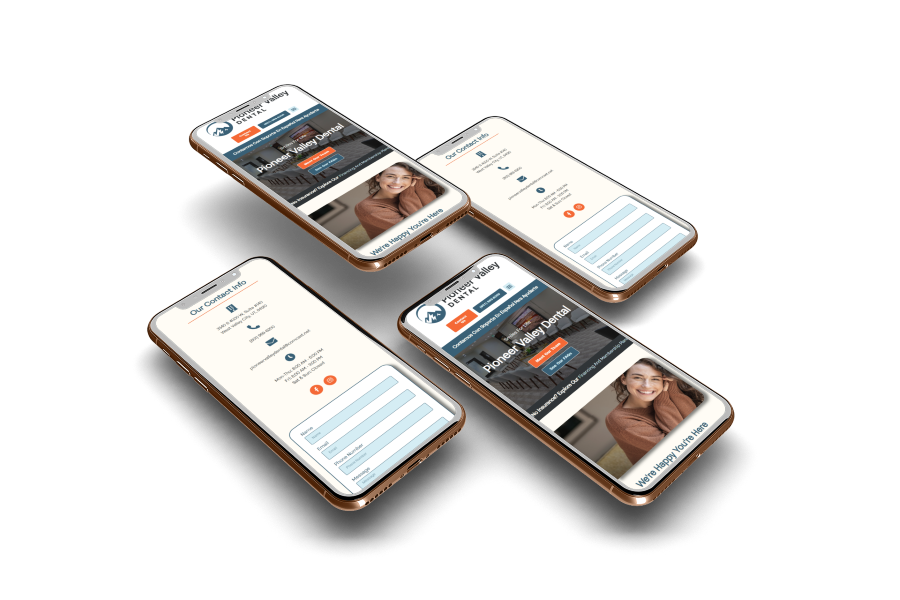
Responsive web design is a design approach that ensures your website automatically adapts its layouts to different devices (desktop, tablet, mobile). It’s important to make sure your designs are responsive so everything looks clean and works properly no matter which device your users access your site on.
Accessibility is huge here as well. Following web content accessibility guidelines (WCAG) and prioritizing web accessibility ensures your site is usable by people with disabilities and provides a better experience for all users.
Backend & Server-Side Terms
Backend
Your website’s backend is its behind-the-scenes stage. This includes the server, database, and application logic that power your site and help process its data. Structured query language (SQL) is commonly used to interact with relational databases, enabling efficient data storage, retrieval, and manipulation. Any edits you make to your site are likely done through the backend, whether in your code setup or within your CMS.
Backend development often involves database management, where a database management system (DBMS) like MySQL is used to organize and manage structured data.
Web Server
A web server is a computer that stores your website’s files and delivers them to users when they access your site.
Hosting
Hosting is a service that provides space on a server for your website to live. Hosting can impact site speed and overall website performance, so it’s important to invest in good website hosting. Without hosting, your site can’t appear on the internet at all.
API (Application Programming Interface)
An API is a connection that lets different software or platforms communicate with each other. For example, an API would connect your website to your CRM, payment processor, or booking system.
Web services are essential for enabling communication between different software systems and integrating backend functionalities.
Frameworks
A framework is a collection of pre-built code, templates, and tools developers can use to build websites faster and more efficiently. Frameworks are a key part of the software stack, which includes the operating system, web server, database, and programming languages that power your web app.
Full stack development refers to the ability to work on both the frontend and backend of a web application, including database management and server-side programming. Modern software development relies on version control systems, such as Git, which is a distributed version control system that helps teams manage source code changes efficiently. Understanding data structures and data processing is crucial for organizing data and optimizing the performance of computer programs and software code in web projects.
Domain, Data, and Network Terms
Domain Name
Your domain name is your website’s online address (like www.bigredjelly.com). This helps users find your site. A web address (URL) is what users type into their web browser to access your website.
HTTP / HTTPS (Hypertext Transfer Protocol)
HTTP is the protocol used to transfer data between a browser and a website. HTTPS is the secure, encrypted version of HTTP. HTTPS protects user data and is preferred by Google for SEO. That’s why you’ll often see HTTP or HTTPS before the domain name. HTTPS stands for Hypertext Transfer Protocol Secure and uses security protocols like Secure Sockets Layer (SSL) to encrypt data between the web server and the browser window, protecting sensitive information.
The Internet Protocol (IP) assigns unique addresses to devices and enables communication over the web.
Cookies
Cookies are small pieces of data stored in a user’s browser so it can remember things like login information, preferences, items in a shopping cart, or any other user behavior. Cookies are what make specific ad targeting possible!
Cache
Your cache is temporary storage that saves website data to help pages load faster when you return to a page. A content delivery network (CDN) can further improve website performance by caching and delivering web content from servers closer to the user. Sometimes, if you’re struggling with speed or image loading, you may just need to clear your personal cache.
FTP (File Transfer Protocol)
FTP is a method used to transfer files between a computer and a web server. This is commonly used by developers to upload site files. You can view the source code of a website by right-clicking on the browser window and selecting “view page source”.
If not using code, page templates are reusable layouts that ensure consistency across each website page, making it easier to maintain a cohesive design.
Website Tools & Platforms
CMS (Content Management System)
A CMS is a platform that lets you create, edit, and manage website content without having to code. A Content Management System (CMS) is essential for managing digital content and web content efficiently. At Big Red Jelly, we mostly work with CMS platforms like WordPress, Wix, and Shopify. Others include Webflow, Squarespace, and more.
Plugins & Integrations
A website plugin or integration is a software add-on that adds extra features to your website. Whether you’re starting a new website project or enhancing an existing one, plugins and integrations can help you tailor your site to your business needs. There are endless website plugins available, and more are being created every day, but some common functionalities include SEO tools, forms, sliders, analytics, and security enhancements. Integrations will often use an API to connect your website with another program’s functionality.

Why These Web Development Terms Matter for Your Business
Understanding web development terms is like learning to speak a new language. When you understand the proper terms, you can better communicate with your developer to make sure you’re getting the most out of your website build. This means faster feedback cycles, fewer revisions, and smarter strategic decisions. When you know what a good website needs, you’ll be able to spot red flags in the web development process (or even the sales process), which will ultimately lead your business to increased performance, better SEO impact, and top-tier user satisfaction. Effective web design and user engagement strategies, such as optimizing your landing page, can significantly improve your website’s performance and conversion rates.
Every business owner really should understand the basics. Otherwise, you may miss some critical details when your website is getting built. Understanding web technologies and how to organize data using tools like lightweight data interchange formats (such as JSON) can help ensure your website is scalable and efficient.
Search engine optimization (SEO) is another key aspect of web development, helping your website rank higher in search engines and reach more potential customers. We keep SEO in mind when building websites.
If you are looking to get a new website built (or just need edits on your site), our team of experts understands the importance of detail and can work with you to build a site that loads faster, ranks higher, and ultimately converts more visitors into tangible revenue for your business.
Frequently Asked Questions About Web Development Terms
What are the most important web development terms to know?
Some of the top web development terms include HTML, CSS, JavaScript, backend, frontend, UI, UX, hosting, domain, CMS, and APIs. Understanding these helps you collaborate better with web developers and make informed decisions about your website.
What is the difference between frontend and backend?
The frontend is everything users see and interact with on a web page.
The backend is the server, database, and logic that power the site behind the scenes.
Both work together to create a functional web experience.
What is HTML and why is it important?
HTML (Hypertext Markup Language) is the foundational programming language used to structure every web page. Without HTML, a website cannot display content, images, or layout elements.
What is the role of CSS in web development?
CSS controls the appearance of a web page, including fonts, colors, spacing, layout, and overall visual style. It ensures consistent branding and a polished UI.
What does JavaScript do on a website?
JavaScript adds interactive features such as animations, dropdowns, forms, and dynamic content. It’s a core part of modern web development.
What is a CMS (Content Management System)?
A CMS allows you to create and manage website content without coding. Popular options include WordPress, Webflow, and Shopify. It’s ideal for businesses that frequently update their web pages.
What is hosting, and why do I need it?
Hosting stores your website files on a web server so users can access your site. Choosing the right hosting impacts speed, security, and uptime.
What is the difference between HTTP and HTTPS?
HTTP (Hypertext Transfer Protocol) transfers data between a browser and a server.
HTTPS is the secure, encrypted version that improves security and SEO. Google prefers HTTPS websites.
Why are APIs important in web development?
APIs allow different apps or platforms to communicate, like connecting your website to payment systems, CRMs, or booking tools.
How do web development terms help improve SEO?
Knowing key development terms (responsive design, site speed, HTTPS, and structured data) helps you understand SEO requirements and work with developers to improve search rankings.